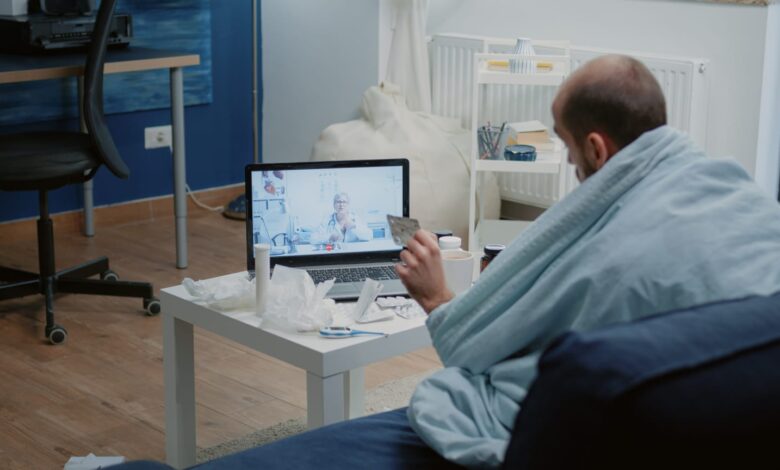
One of those major, “adult” decisions is whether to implement remote patient monitoring (RPM) in your practice. It’s similar to selecting a new automobile; you know you need it to get from point A to point B, but the sheer volume of tech specs, sales pitches, and bright buttons can make your head spin. You’re likely looking for a way to keep your patients healthier without turning your staff’s workday into a never-ending cycle of troubleshooting Wi-Fi connections, and honestly, that’s a pretty fair ask.
The market is currently flooded with Remote Patient Monitoring companies promising the moon, so how do you actually pick the one that won’t leave you hanging six months down the line? Let’s break it down.
1. Look for Tech That Your Grandparents Could Use
We’ve all been there, trying to explain how to use a tablet to someone who still prefers a landline. When it comes to RPM, if the device is even slightly annoying to set up, your patients just won’t use it. You want to look for “plug-and-play” devices, preferably ones that use cellular connectivity (like a Kindle) rather than Bluetooth.
Why? Because Bluetooth requires “pairing,” and pairing is the enemy of a peaceful morning for your nursing staff. A cellular-connected blood pressure cuff or scale just works the second the patient turns it on. It sends the data directly to you without the patient needing to have high-speed internet or a smartphone, which is a massive win for accessibility and your own sanity.
2. Integration: The “Will It Talk to My EHR?” Question
There is nothing quite as soul-crushing as having to log into three different websites just to see one patient’s blood sugar levels. When you’re vetting an RPM company, you need to be really blunt about how they play with your existing Electronic Health Record (EHR) system.
The “right” company is one that slides right into your current workflow. You want the data to flow directly into the patient’s chart so you aren’t doing manual data entry. When a vendor says, “Oh, you can just export a PDF and upload it,” they are effectively asking you to put in an extra hour of effort each day. Better than that is what you deserve.
3. Don’t Just Buy a Platform, Hire a Support Team
A lot of companies will sell you the software and the gadgets and then disappear into the night like a bad date. But here’s the thing: RPM involves hardware, and hardware breaks. Batteries die, boxes get lost in the mail, and patients get confused.
You want a company that handles the logistics for you. Do they ship the devices directly to the patients? Do they have a 24/7 help desk that isn’t you? If a patient’s scale isn’t syncing at 8:00 PM on a Tuesday, you don’t want to be the one getting the phone call. A top-tier RPM partner takes the “tech support” hat off your head so you can keep wearing the “doctor” hat.
4. The Money Talk: Billing and Reimbursement
Let’s be real—your practice is a business, and you can’t provide great care if the lights aren’t on. Remote patient monitoring is fantastic because it’s actually reimbursable through CPT codes (like 99453, 99454, 99457, and 99458), but the paperwork can be a nightmare.
The best RPM companies have billing support built right in. They should be able to track exactly how many minutes your staff spends reviewing data and give you a neat little report at the end of the month that tells you exactly what to bill. If they can’t show you a clear path to ROI (Return on Investment), they’re just another expense you don’t need.
5. Clinical Alerts Without the “Alert Fatigue”
The last thing you need is your phone buzzing every five minutes because a patient’s heart rate went up by two beats while they were watching a scary movie. You need a system that allows for “clinical intelligence,” basically, a way to customize alerts so you only see the stuff that actually matters.
Good RPM software lets you set thresholds. Perhaps you should only raise an alarm if a patient misses three consecutive days of testing or if a blood pressure reading reaches a particular high. Instead of becoming lost in a sea of typical data, this “management by exception” strategy makes sure you’re concentrating your efforts on the patients who are truly in danger.
Comparison at a Glance: What to Ask
| Feature | The “Okay” Company | The “Right” Company |
| Connectivity | Bluetooth (needs a smartphone) | Cellular (works out of the box) |
| Onboarding | They send you a box; you deal with it | They ship to the patient and train them |
| EHR Setup | Separate login/manual upload | Seamless, two-way integration |
| Support | Email support during 9-5 hours | Dedicated manager & patient help desk |
| Billing | “You figure it out” | Automated reports and audit protection |
6. The “Human” Factor and Scalability
Lastly, consider where you want your practice to be in three years. Can this organization manage 500 patients when you start with 20 today? You want a partner that feels like an extension of your team. Ask for references, and actually call them. Ask other doctors if the company is responsive or if they’re still waiting for a callback from three weeks ago.
Choosing an RPM provider is about building a relationship. You want a company that cares about your patients’ outcomes as much as you do, and one that understands that at the end of the day, all this tech is just a tool to help people live better lives.